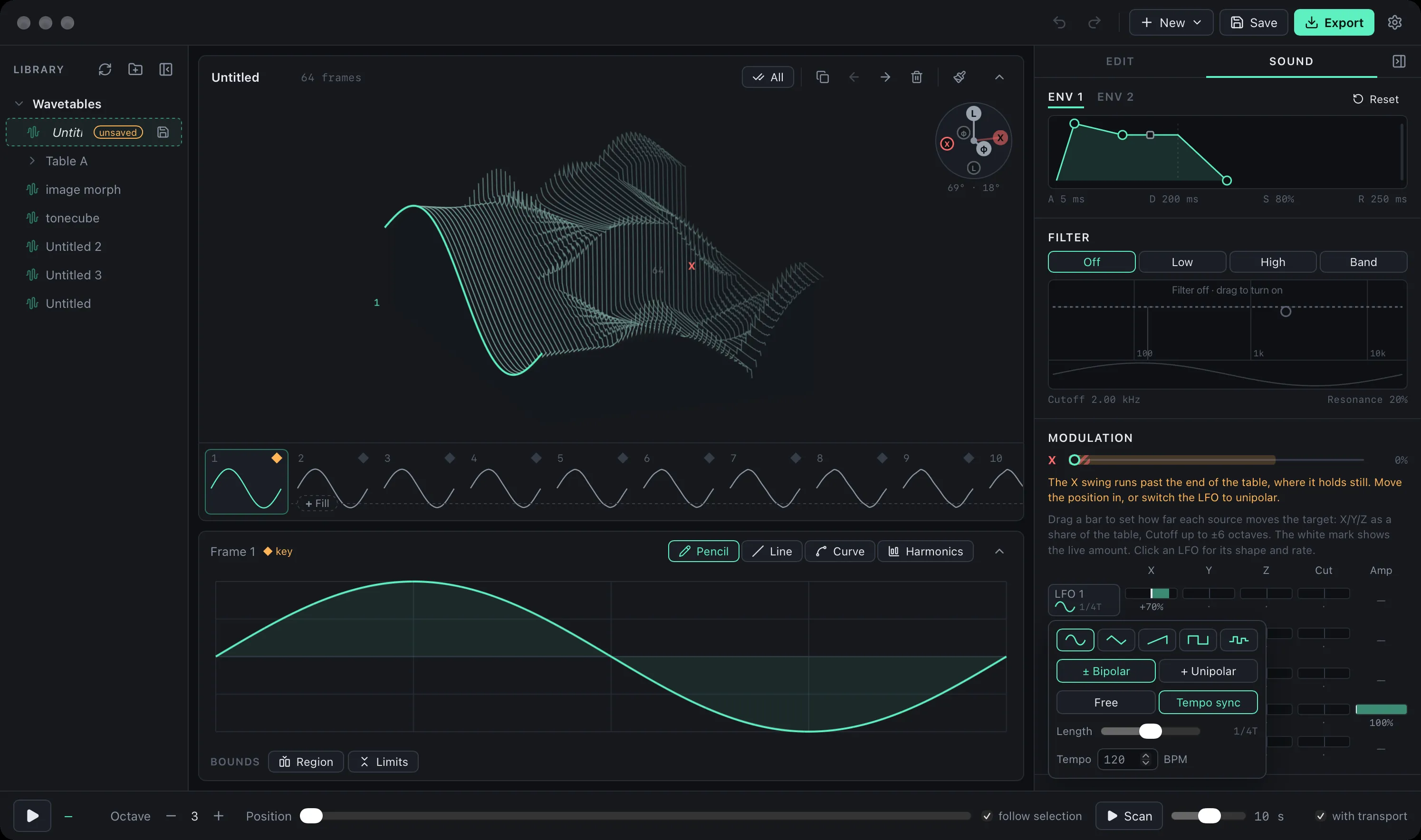
WaveStack Preview 6 (version 0.6.0) is out for Mac and Windows, and for the first time WaveStack also runs inside your DAW. Download it here.
Plugin mode
WaveStack now comes as an instrument plugin: CLAP, VST3 and Audio Unit on the Mac, and CLAP and VST3 on Windows. We’ve played the Mac version in Ableton Live and Bitwig Studio. The Windows version is new and less tested, so tell us how it goes.
- The whole editor, in the plugin window. Open the plugin and you get the same WaveStack: draw, build, import and reshape tables while you play them from your DAW. Library, Save and Export stay in the app; in the plugin you work on the table the instrument is playing.
- Saved with your project. The table and every setting are stored in the DAW project, so a session reopens sounding the way you left it. To load a table, drop a WAV or
.wtfile on the plugin window or open one as you would in the app. - Automate anything. Position X, Y and Z, both envelopes, the filter, the three LFOs and every amount in the modulation matrix are host parameters, grouped so they’re easy to find. Map a host LFO to Position X and it sweeps smoothly through the table.
- The same sound. The plugin runs WaveStack’s synth engine, rewritten in Rust and checked sample by sample against the app’s, so a table sounds the same in both.
- Stays out of the DAW’s way. In the plugin, Space and your shortcut keys belong to the DAW. The audition bar is gone, since your DAW plays the notes.
To install, unzip the download for your system and copy the formats your DAW uses into your plug-in folders. On the Mac that’s ~/Library/Audio/Plug-Ins/CLAP, VST3 and Components; on Windows, C:\Program Files\Common Files\CLAP and VST3. Each zip includes the steps. The Mac plugin is signed and notarized. The plugin is free to try during the preview.
Sound
- Tempo-synced LFOs. Each LFO can run at a note length (8 bars down to 1/32, dotted and triplet) instead of a rate in Hz. In a DAW they follow the host’s tempo and line up with the bar while it plays; in the app they follow a tempo you set.
- No more clicks. Moving through a table with an LFO or automation now glides between frames sample by sample, and changing a wave while a note plays (drawing, a shape button, loading a table) crossfades instead of jumping.
- Unipolar LFOs. An LFO can sweep forward from the position and back (0 to +1) instead of swinging both ways, so a sweep can start from the first frame.
- Position in the panel. The Play panel, now called Sound, has X, Y and Z position sliders showing how far the modulation moves the sound from each one, and warns when a swing runs off the end of the table.
Editing
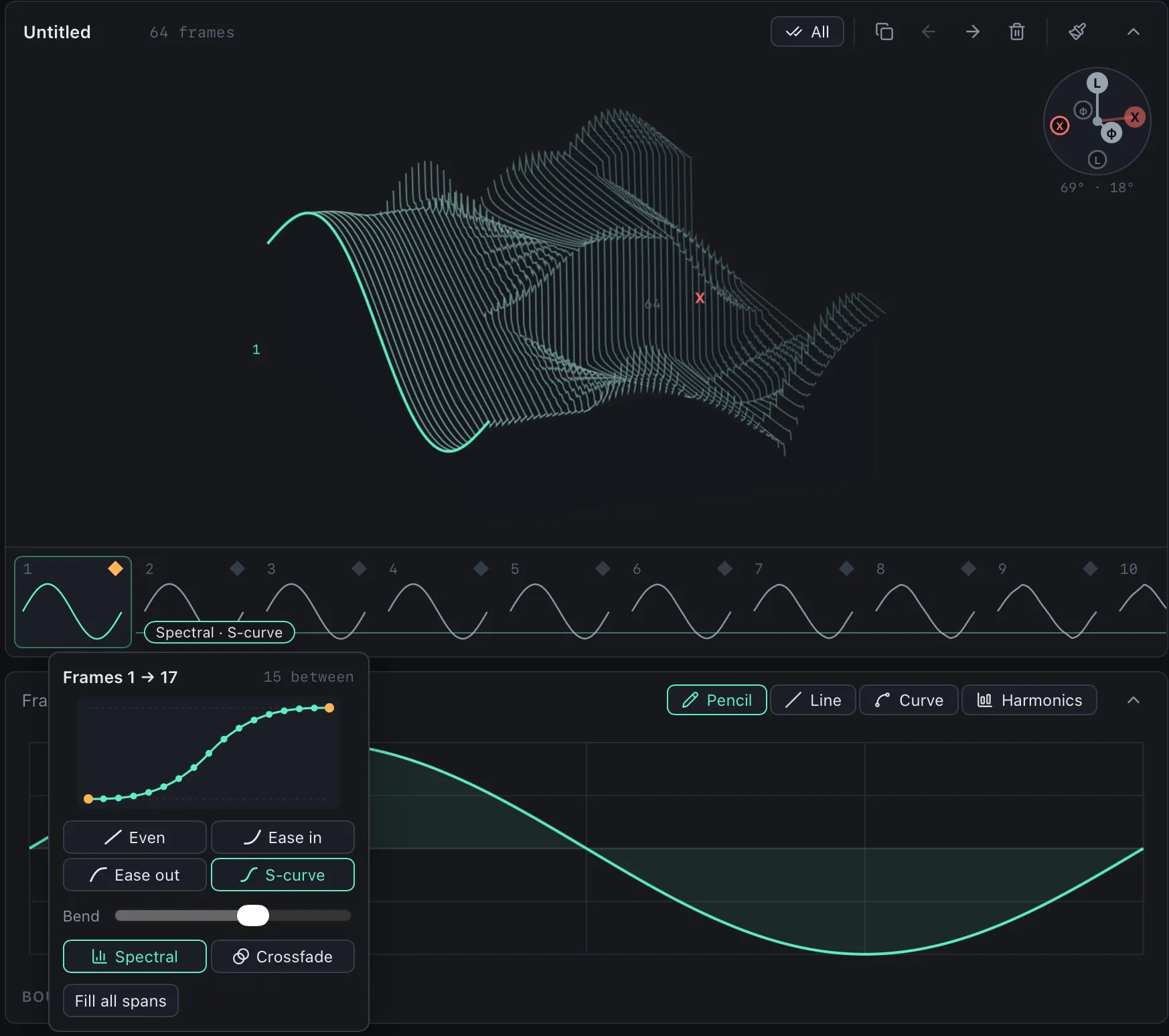
- Keyframe transitions on the frame strip. Each gap between two keyframes gets a chip right on the strip: click it to fill the gap, then click again to set how the morph moves (even, ease in, ease out or an S-curve, with a bend amount) and whether it’s spectral or a crossfade. Chips show when a keyframe has changed since the gap was filled, or when frames in between were edited by hand.
- Straight lines with Shift, and a right-click menu on frames for keyframes and common operations.
- Build sweeps basic waveforms, starts from fold and brightness instead of the filter, shows a reticle in its preview, and labels X, Y and Z with what each sweeps. Build can also target a device.
- A Settings window, including an option to invert dragging in the 3D view.
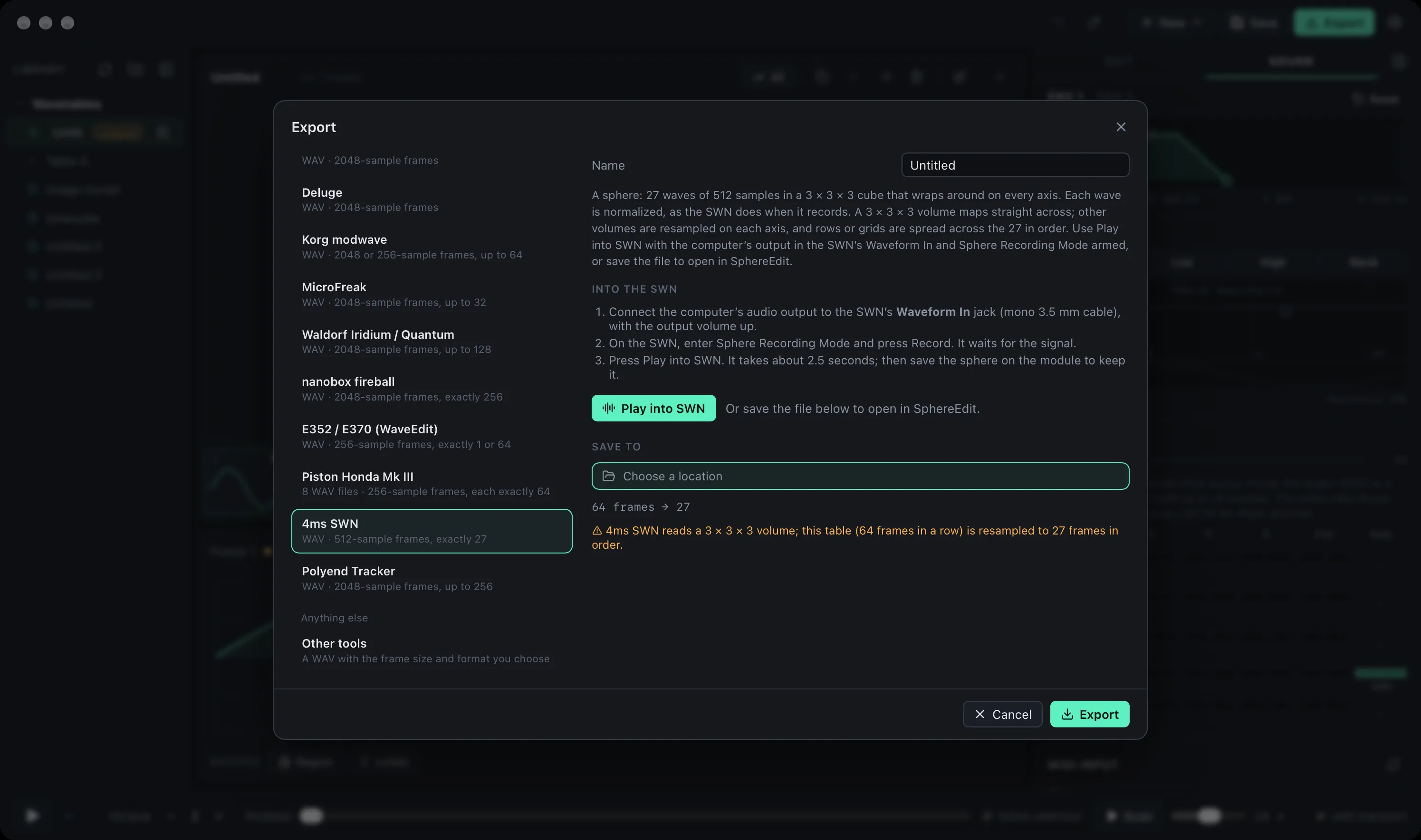
4ms Spherical Wavetable Navigator
Export now writes tables for the SWN as a 3 × 3 × 3 cube, normalized the way the module expects, and a Cube view shows the whole volume in 3D.
Faster launch
WaveStack opens faster, without the flash of a blank window.
Known limitations
The plugin doesn’t yet have the app’s Library or Export. The Windows plugin isn’t code-signed yet and has had less testing than the Mac one. If Space doesn’t reach your DAW while the plugin window has focus, click the DAW’s own window first and let us know which DAW you use. The Windows app installer still isn’t code-signed, so SmartScreen will warn when you open it: choose More info, then Run anyway. There’s no iPad build yet.