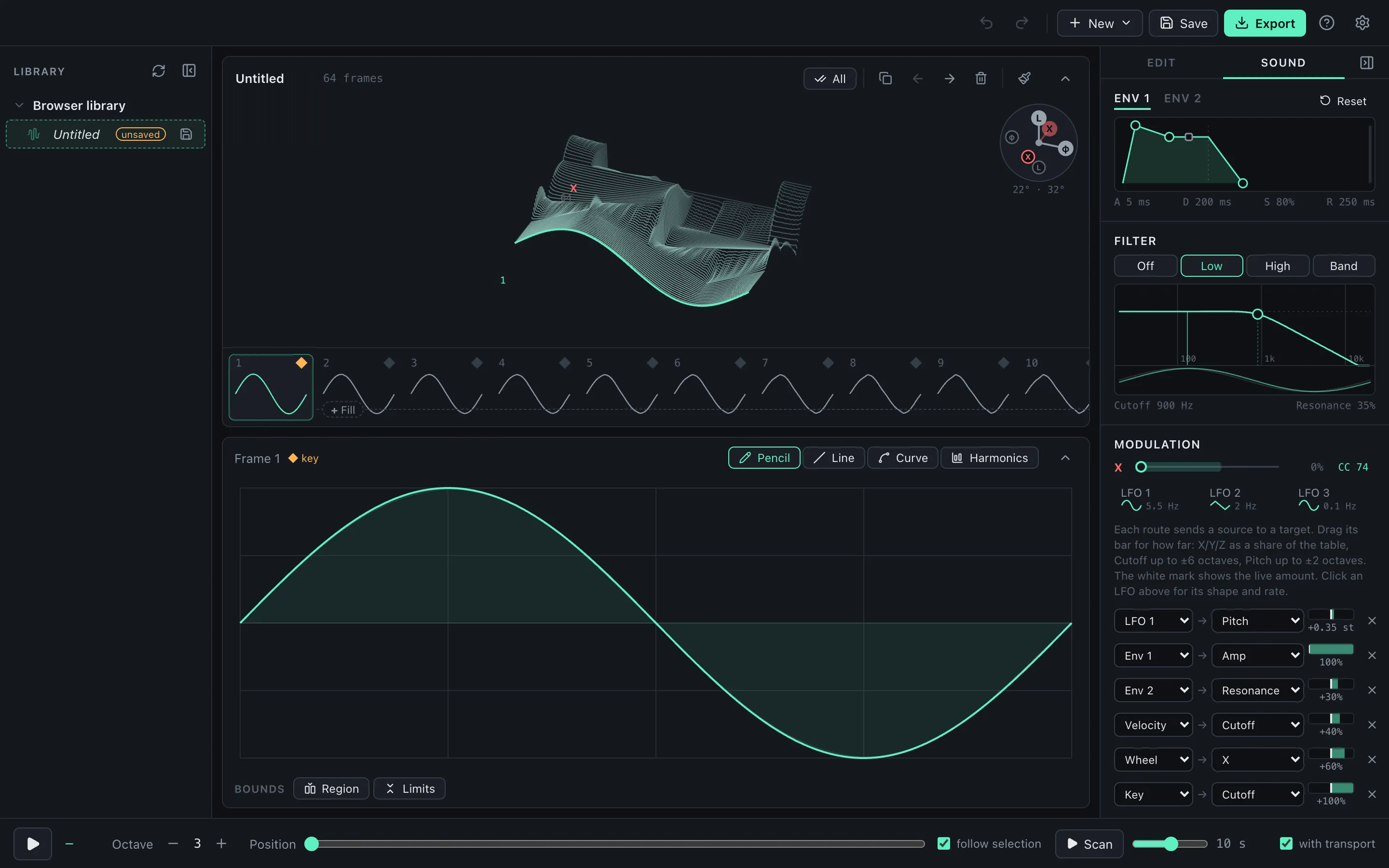
WaveStack Preview 7 (version 0.7.0) is out for Mac and Windows, along with an updated plugin. Download it here.
Modulation routes
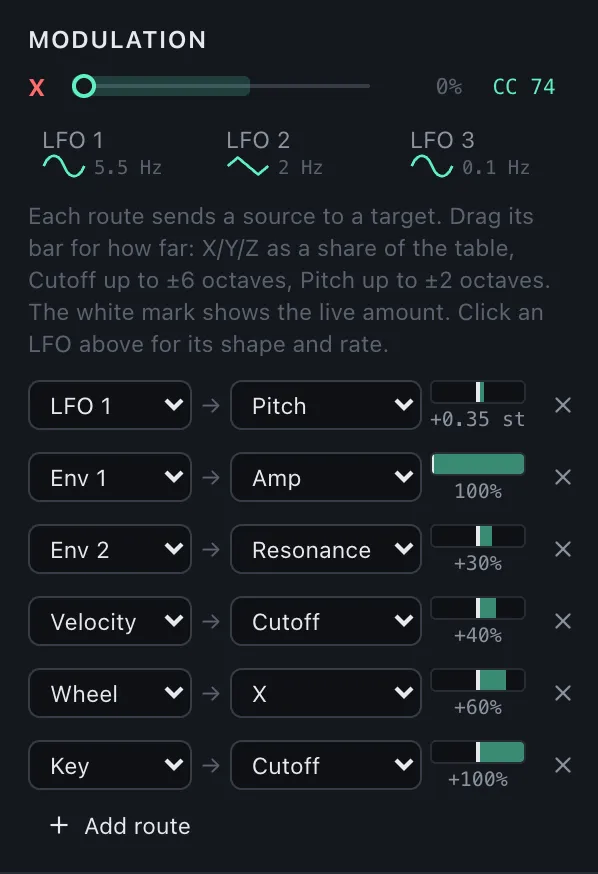
The Sound panel’s modulation grid is now a list of routes. Each route sends one source to one target, with an amount you drag. Add as many as you like with Add route, and remove one with its ×.
- New sources. Along with the three LFOs and two envelopes, you can now use velocity, the mod wheel, aftertouch (channel or polyphonic pressure) and key tracking. Key tracking at 100% on Cutoff makes the filter follow the note exactly.
- New targets. Any source can now reach pitch, filter resonance and level, as well as X, Y, Z and cutoff. Pitch is fine near zero for vibrato and reaches two octaves at full. An LFO on Amp gives you tremolo.
- Pitch bend now bends notes up to two semitones.
- In the plugin, every route is a host parameter you can automate or map, and existing parameters keep their IDs, so projects saved with Preview 6 still open.
MIDI learn for the position
In the app, click MIDI next to the X, Y or Z position slider, then move a knob, fader or the pitch bend wheel on your controller. That control now moves through the table. Controllers that send 14-bit values move it smoothly. Learned controls are listed under MIDI input, where you can remove them. In the plugin, use your DAW’s own mapping instead.
Help, the newsletter and About
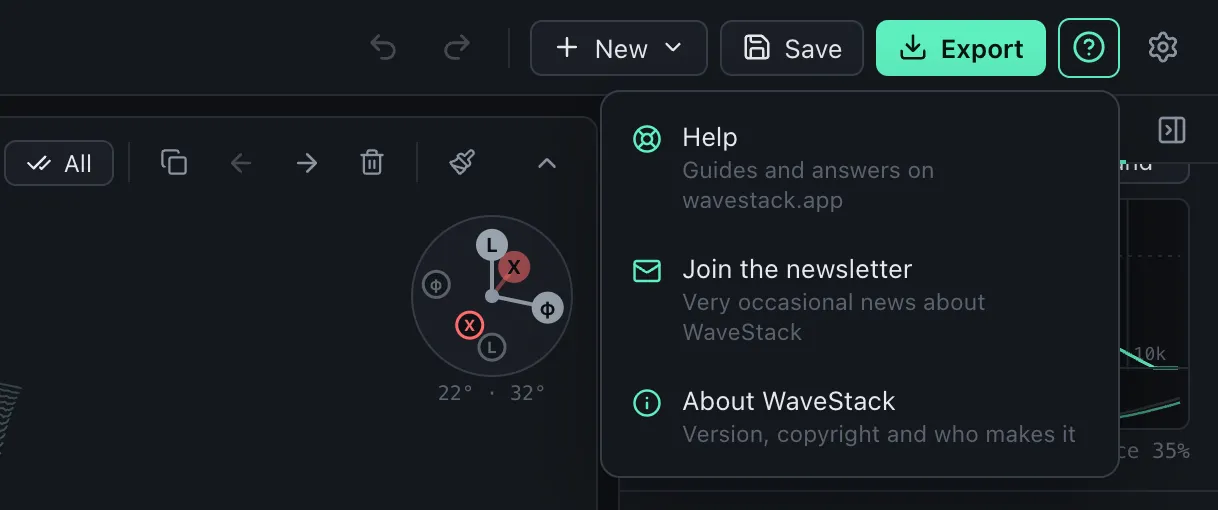
A new ? button next to Settings opens the new help guide, lets you join the newsletter without leaving the app, and shows an About window.
WaveStack for iPad
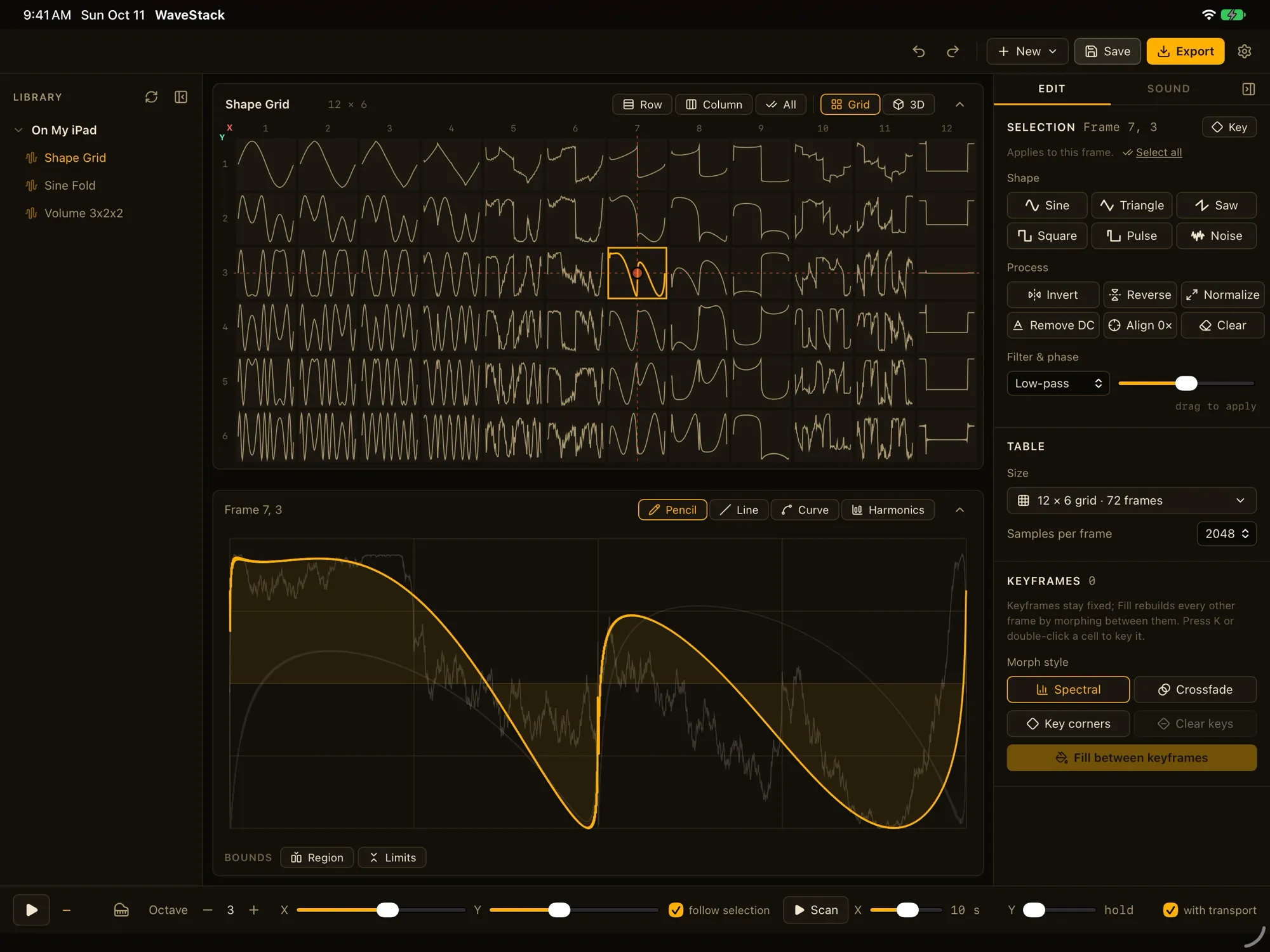
WaveStack for iPad is in testing now, and we’re submitting it to the App Store. It’s the same WaveStack, with a layout made for touch, an on-screen keyboard, and your tables in the Files app. WaveStack Pro on iPad is a one-time in-app purchase, and it includes an AUv3 version of the instrument for GarageBand, Logic Pro, AUM and other hosts. We’ll post here when it’s available.
Known limitations
The Windows app and plugin aren’t code-signed yet, so SmartScreen will warn when you open the installer: choose More info, then Run anyway. MIDI learn is in the app only.