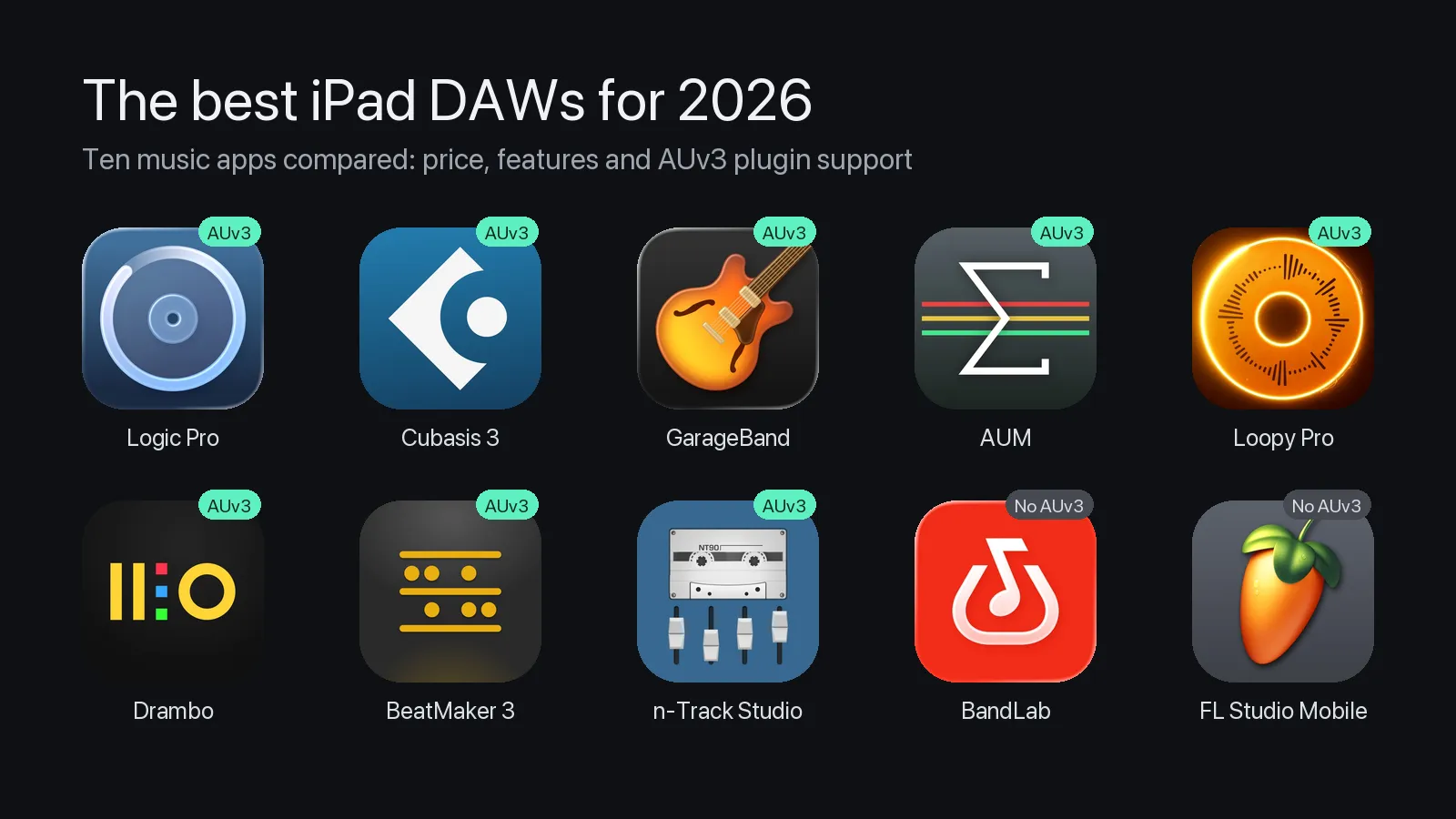
We compared ten of the most used iPad DAWs and music apps on price, recording, MIDI, plugin support and how well they connect to a computer.
Plugin support gets extra attention. An AUv3 instrument or effect is a plugin that runs inside another app, the way a VST or AU runs inside a desktop DAW. If you want to play a third-party synth on the iPad, such as WaveStack’s AUv3, you need an app that hosts AUv3, and not every one does.
Prices, ratings and features were checked against the US App Store and each developer’s own documentation on October 24, 2026. Pros and cons come from published reviews, linked beside each one; several of those reviews are a few years old, and the date is given so you can weigh them. User quotes are from App Store reviews.
At a glance
| App | Price (US) | AUv3 instruments | AUv3 effects / MIDI | Audio recording |
|---|---|---|---|---|
| Logic Pro ★ 4.5 (6,381) | $4.99/mo or $49/yr | Yes | Yes / Yes | Yes |
| Cubasis 3 ★ 4.6 (3,523) | $49.99 | Yes | Yes / Yes | Yes |
| GarageBand ★ 4.1 (117,890) | Free | Yes | Yes / No | Yes |
| AUM ★ 4.7 (534) | $24.99 | Yes | Yes / Yes | Yes |
| Loopy Pro ★ 4.8 (987) | $29.99 unlock | Yes | Yes / Yes | Yes |
| Drambo ★ 4.8 (331) | $24.99 | Yes | Yes / Yes | Sampler and recorder |
| BeatMaker 3 ★ 4.7 (4,537) | $24.99 | Yes | Yes / not stated | Yes |
| n-Track Studio ★ 4.4 (2,071) | Free; plans from $1.49/mo | Yes | Yes / not stated | Yes |
| BandLab ★ 4.7 (510,867) | Free; membership $14.99/mo | No | No | Yes |
| FL Studio Mobile ★ 3.8 (630) | $14.99 | No | No | Yes |
Short version: for a full DAW with AUv3, Logic Pro and Cubasis 3 lead, and GarageBand does it for free. For playing several AUv3 instruments live, AUM and Loopy Pro are the usual choices. BandLab and FL Studio Mobile don’t load AUv3 instruments at all.
1. Logic Pro for iPad
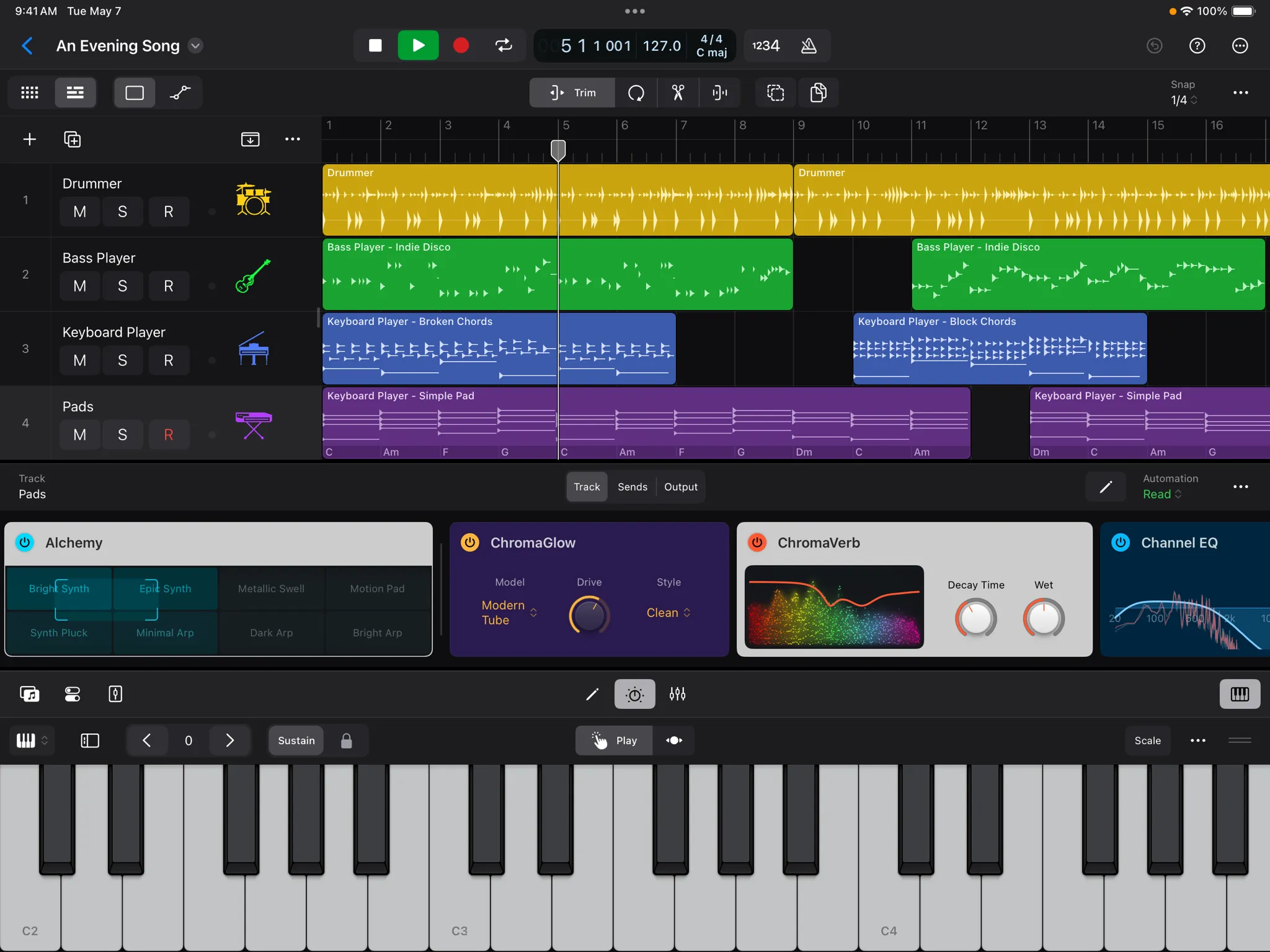
Apple’s full DAW, built for touch, with most of the Mac version’s instruments and effects.
- Price: free download, then a subscription of $4.99 a month or $49 a year. Logic is also included in Apple Creator Studio. There’s no one-time purchase.
- AUv3: instruments, audio effects and MIDI effects, from the Instrument and Audio FX menus.
- Recording and export: audio from class-compliant interfaces; export as AIFF, WAV or M4A, or every track as separate files.
- Ableton Link: yes.
- Desktop: projects open in Logic Pro for Mac, and back again.
- Rating: 4.5 from 6,381 ratings.
Pros
- An excellent multitouch interface, the classic Logic instruments and effects, and new tools such as Beat Breaker and Sample Alchemy (MusicRadar, 2023).
- Session Players and chord tools in version 2 work well on touch (MusicTech, 2024).
Cons
- Subscription only (MusicRadar; MusicTech).
- No notation or video, and some desktop tools are missing; audio output is stereo only (MusicTech, 2024; CDM, 2023).
they've really knocked it out of the park with Logic Pro for iPad
extremely disappointed to see how stripped back it is
2. Cubasis 3
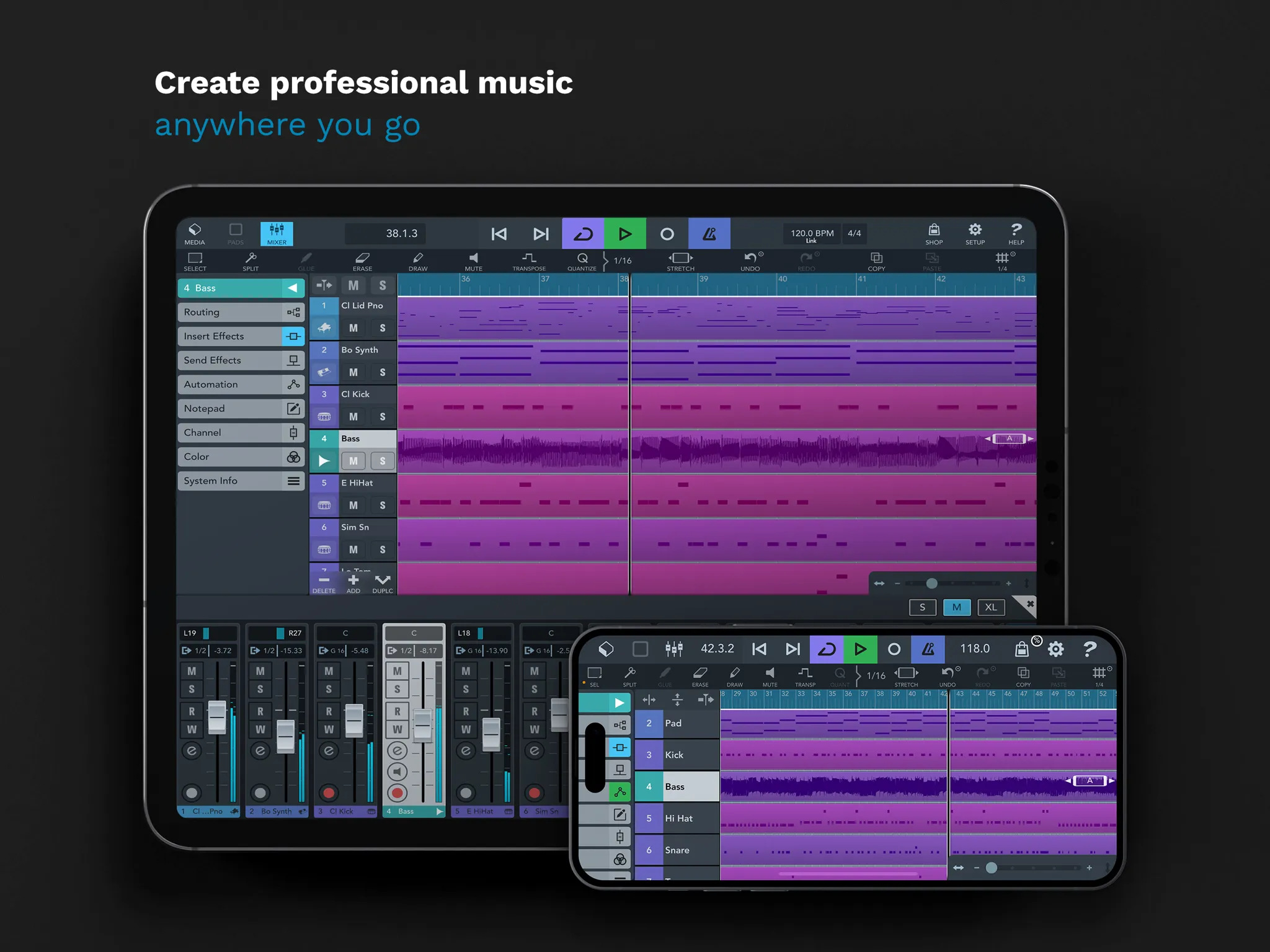
Steinberg’s mobile DAW, the closest thing on the iPad to a desktop Cubase, with a one-time price.
- Price: $49.99 once, plus optional add-ons such as HALion Sonic Selection ($19.99). There’s also a free Cubasis LE 3.
- AUv3: instruments (including multi-output), effects and MIDI effects. Audiobus and Inter-App Audio too.
- Recording and export: unlimited audio and MIDI tracks, up to 24 inputs; export as WAV, AIFF, FLAC, M4A, MP3 or MIDI.
- Ableton Link: yes.
- Desktop: projects move to Cubase on the Mac or PC with Steinberg’s free Cubasis Importer.
- Rating: 4.6 from 3,523 ratings.
Pros
- Feels like a proper desktop DAW, and works on iPhone too (MusicRadar, 2020).
- Cubase users feel at home; unlimited tracks with eight insert and eight send slots each (MusicTech, 2020).
Cons
- Expensive next to most iPad apps (MusicRadar, 2020; Gearnews, 2024).
- No track versions or take folders (MusicTech, 2020).
This is a portable recording studio.
Please please please add take folders!
3. GarageBand
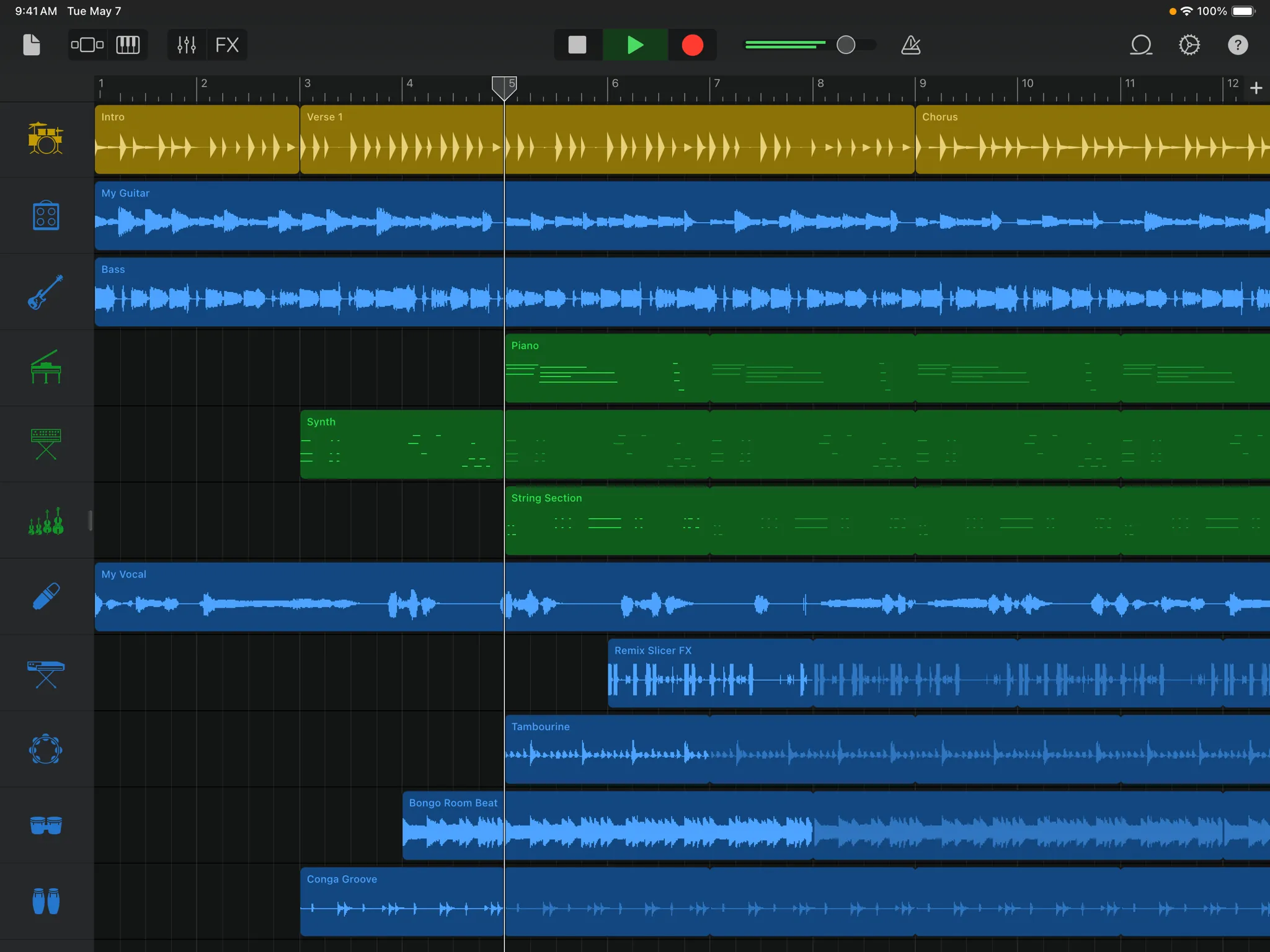
Apple’s free music app, and the easiest way to try an AUv3 instrument.
- Price: free, with no in-app purchases.
- AUv3: instruments and effects, under Sound browser › External › Audio Unit Extensions. Developers report it doesn’t load AUv3 MIDI effects.
- Recording and export: up to 32 tracks; multitrack recording needs a compatible interface.
- Ableton Link: not listed by Apple.
- Desktop: projects open in GarageBand and Logic Pro on the Mac.
- Rating: 4.1 from 117,890 ratings.
Pros
- Quick to start, with a large set of amps, instruments and loops (Gearnews, 2024).
- The Alchemy synth and Audio Unit support make it far more capable than its price suggests, and projects move to Logic (Macworld, 2017).
Cons
- Arrangement tools are basic (Macworld, 2017).
- Stem export and mastering are awkward; a desktop DAW does those jobs better (Gearnews, 2024).
I find myself using GarageBand iOS for most of the music I make.
PLEASE FIX THE SAMPLER.
4. AUM
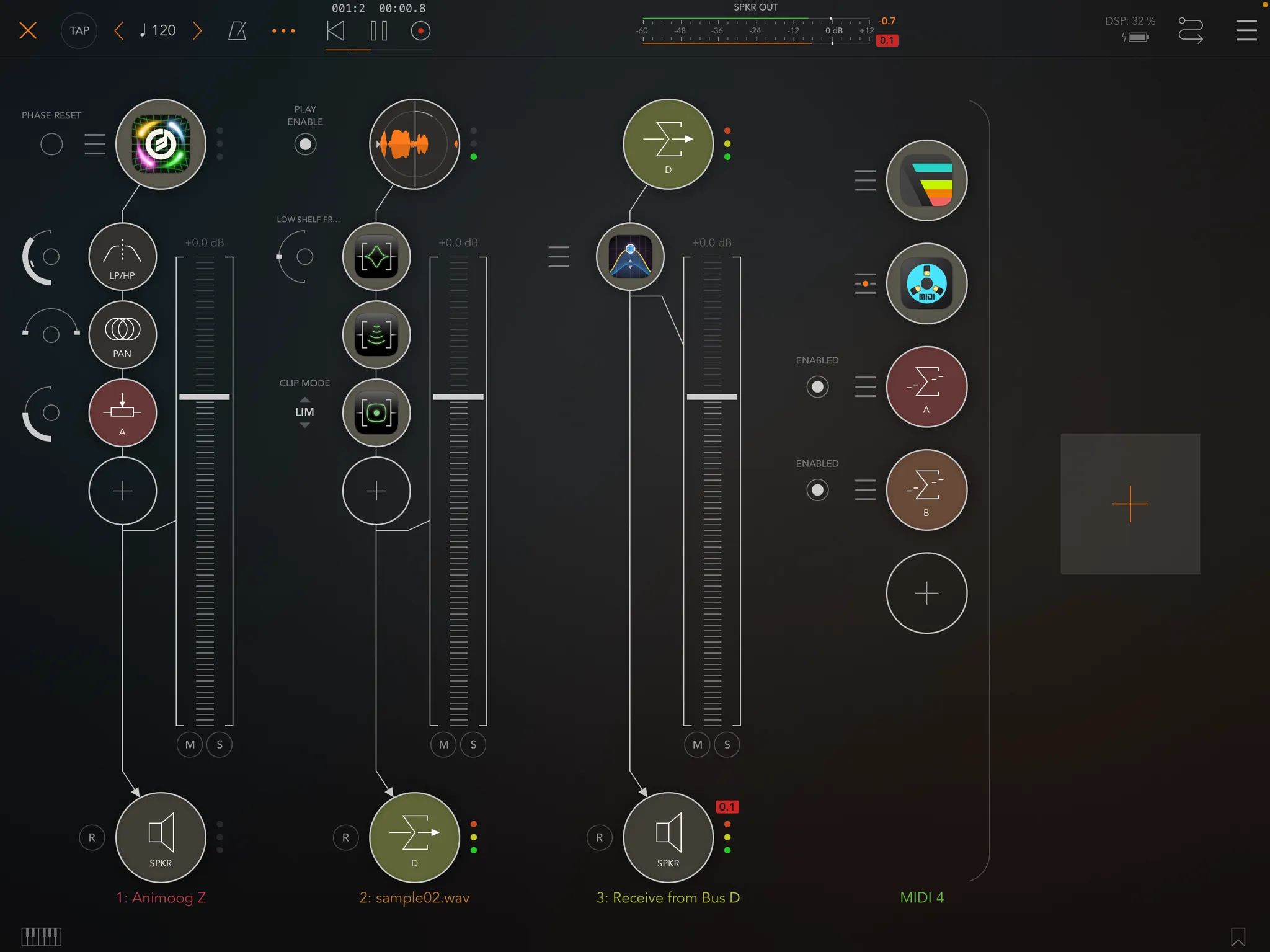
Not a DAW but a mixer and host: load as many AUv3 instruments and effects as the iPad can run, route them freely and play them live.
- Price: $24.99 once. The only in-app purchases are optional tips.
- AUv3: instruments, effects and MIDI plugins, with multiple audio buses for sidechaining. Audiobus and Inter-App Audio too.
- Recording: mixes or individual channels, with synced loop recording. There’s no timeline or sequencer; sequencing comes from AUv3 MIDI plugins.
- Ableton Link: yes, with start and stop, plus MIDI clock out.
- Desktop: none.
- Rating: 4.7 from 534 ratings.
Pros
- Easy to use and full of features; it brings iOS audio and MIDI routing into one hub (MusicRadar, 2016).
- Close to essential for live iPad performance (MusicTech, 2022).
Cons
- Channel metering could be more detailed (MusicRadar, 2016).
- It isn’t a DAW, so if you work in one app you may not need it (MusicTech, 2022).
It's the glue that binds all of your audio apps.
5. Loopy Pro
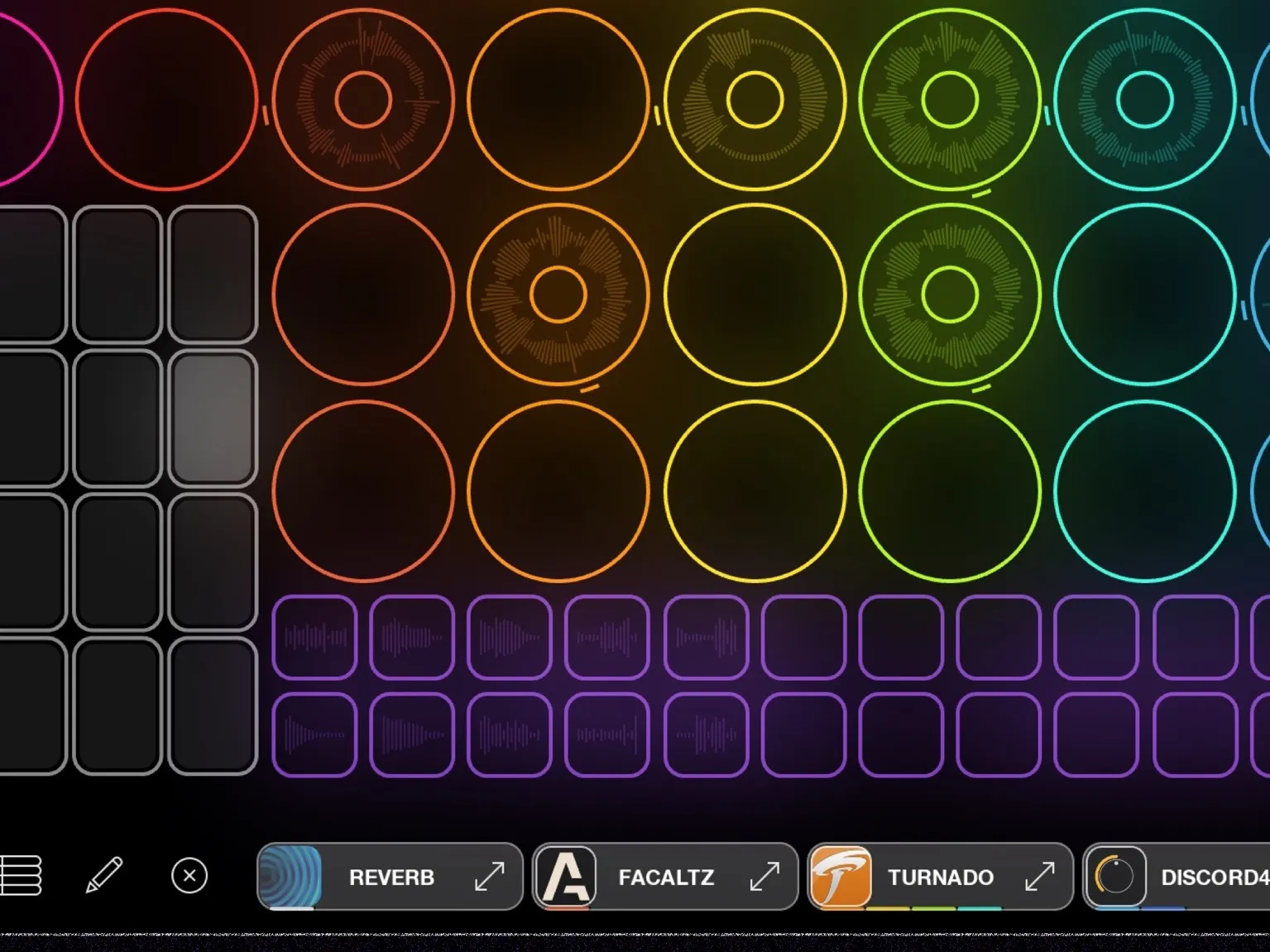
A looper that has grown into a performance DAW, with clips, a MIDI sequencer since version 2.0, and deep AUv3 hosting.
- Price: a 7-day free trial, then a one-time $29.99 unlock that includes a year of new features. An optional $14.99 upgrade adds later features. No subscription.
- AUv3: instruments, effects and MIDI processors.
- Recording: multitrack sessions with isolated stems; MIDI clips with a piano roll.
- Ableton Link: yes, plus MIDI clock sync.
- Desktop: a Mac version is in development.
- Rating: 4.8 from 987 ratings.
Pros (factual; we found no editorial review)
- A one-time purchase with optional yearly upgrades, not a subscription (pricing).
- Hosts AUv3 instruments, effects and MIDI processors side by side with its loops.
Cons
- It can’t run as an AUv3 inside another host.
- App Store reviewers often mention that the depth takes time to learn.
Perhaps the most perfect app ever built
Blows away my desktop DAW
6. Drambo
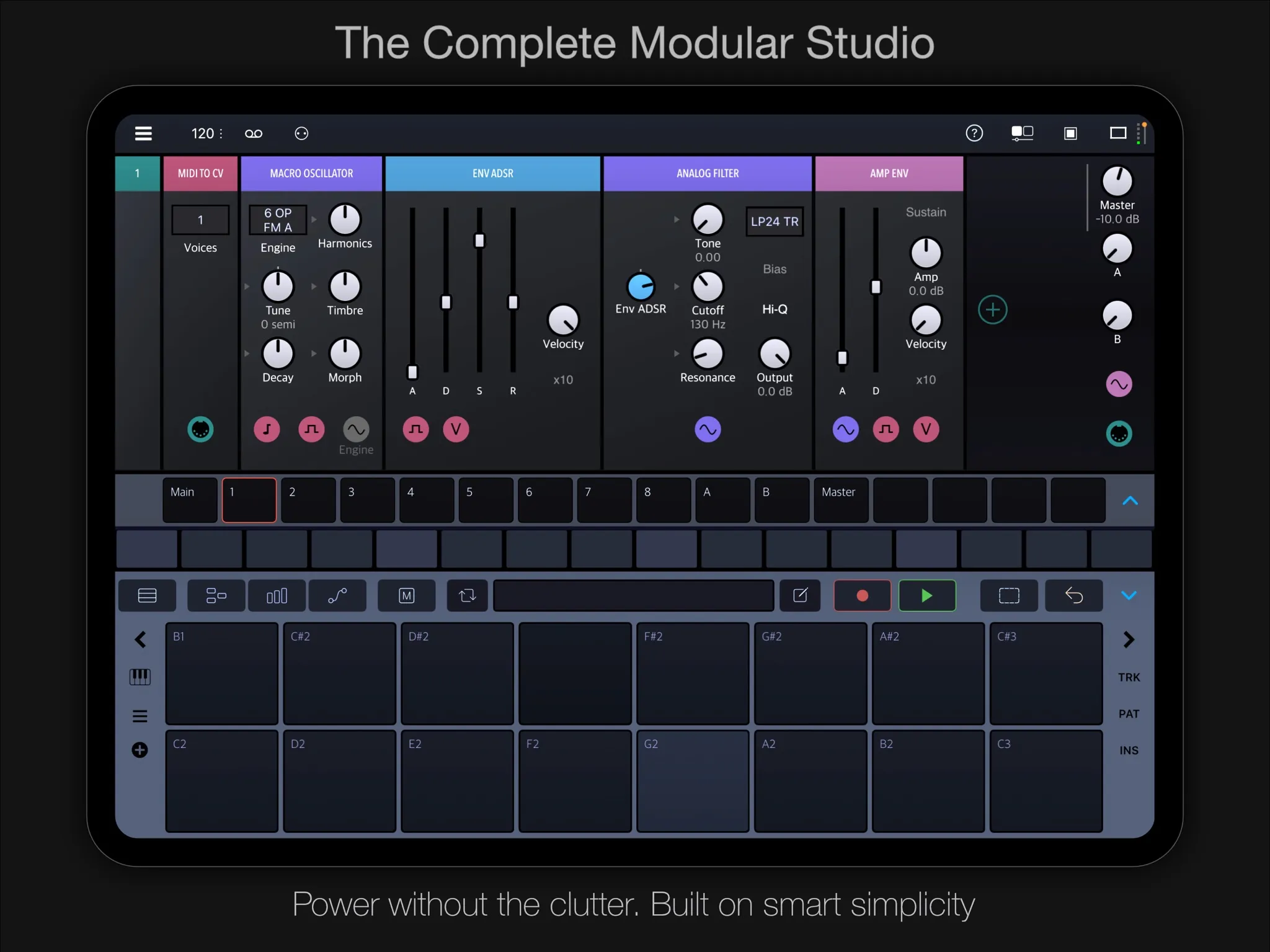
A modular groovebox with a 16-track sequencer. It hosts AUv3 plugins as modules, and is itself an AUv3, so it can run inside the other apps here.
- Price: $24.99 once, plus optional extensions from $4.99 (Waves, Formants, Granular) to $14.99 (Visual).
- AUv3: hosts instruments, effects and MIDI effects as modules in the standalone app; runs as an AUv3 instrument, effect or MIDI effect in other hosts.
- Sequencing: step sequencing with parameter locks, a piano roll and automation; MIDI and CV out to hardware.
- Ableton Link: yes.
- Desktop: the iPad app also runs on Apple silicon Macs.
- Rating: 4.8 from 331 ratings.
Pros
- Easy to start with and very deep, with Elektron-style parameter locks that suit touch (Cult of Mac, 2020).
- Patching without cables makes sound design quicker (MusicTech, 2021).
Cons (from App Store reviews; the editorial reviews list none)
- A learning curve, and some features cost extra on top of the base price.
There is a bit of a learning curve
7. BeatMaker 3
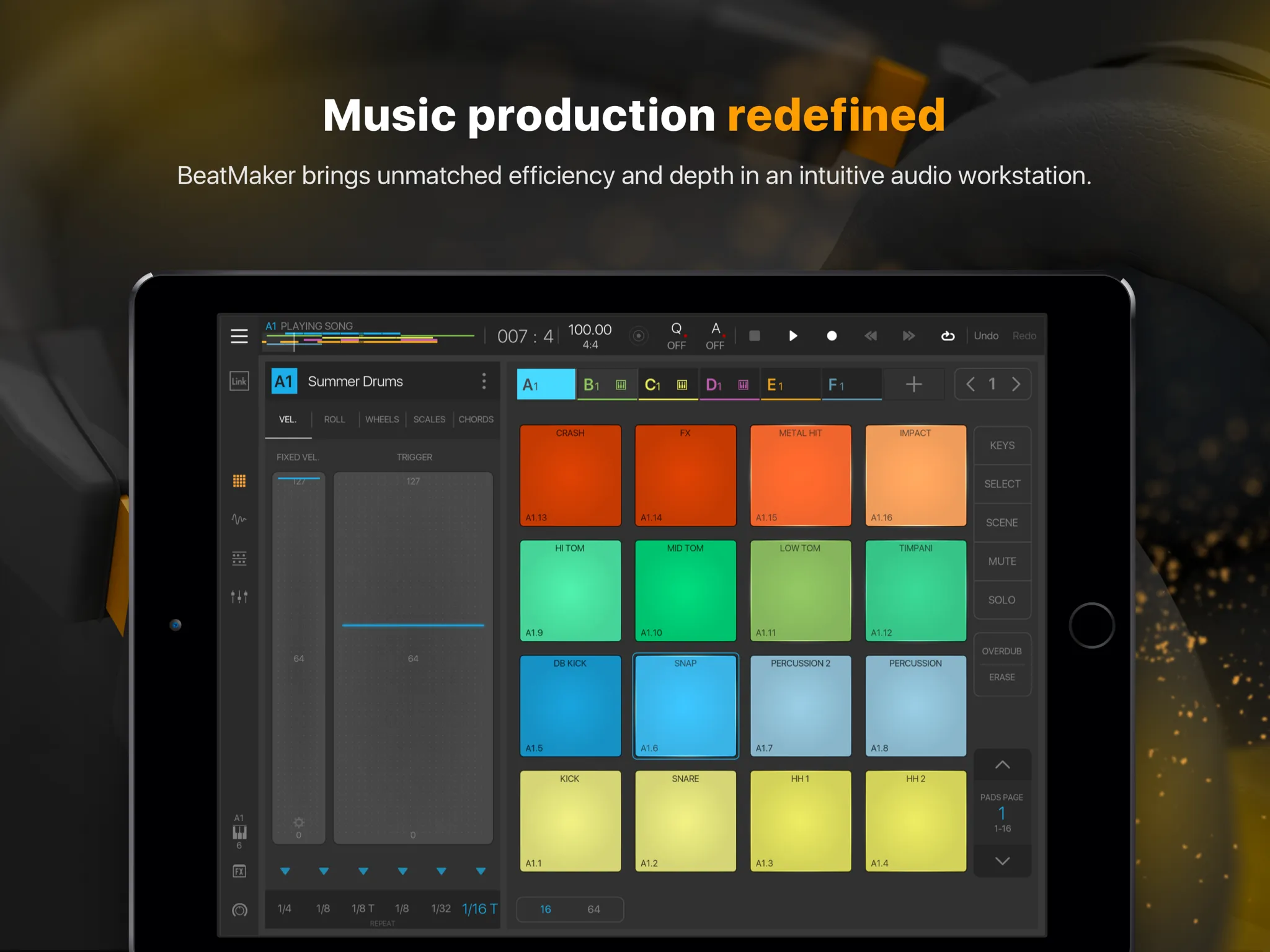
A pad-based beat-making DAW with a deep sampler, unlimited tracks and full AUv3 support.
- Price: $24.99 once, plus sound packs (several are free).
- AUv3: instruments and effects, with unlimited effect slots. Audiobus and Inter-App Audio too.
- Recording and export: audio tracks with multichannel interfaces; export the mix or individual stems.
- Ableton Link: yes.
- Desktop: none; iPad only.
- Rating: 4.7 from 4,537 ratings.
Pros
- A very deep sampler with layering, slicing and high-quality time-stretching (Resident Advisor, 2017).
- A strong pad workflow and an interface that’s easy on the eyes (Gearnews, 2024).
Cons
- No built-in synths beyond the sampler, so AUv3 instruments do that job (Resident Advisor, 2017).
- Hard to learn, and missing some full-DAW features (Gearnews, 2024).
midi notes not being shown in the piano roll after recording
8. n-Track Studio
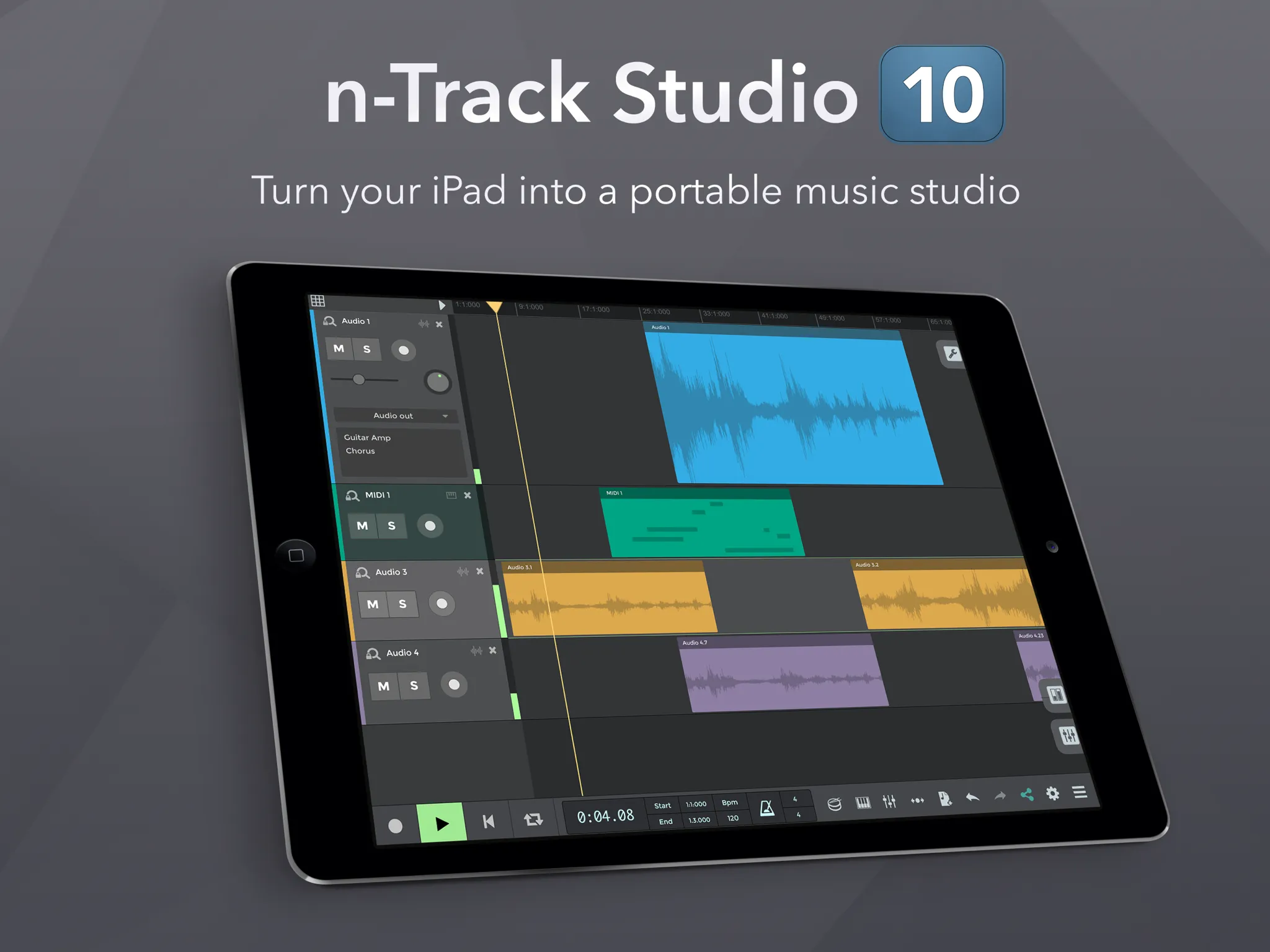
A traditional multitrack DAW with a free tier and cheap monthly plans.
- Price: free with up to 8 tracks and 2 effects per track; Standard $1.49/mo (unlimited tracks), Extended $2.99/mo, Suite $5.99/mo. A separate n-Track Studio Pro app costs $29.90.
- AUv3: instruments and effects. Inter-App Audio too.
- Recording and export: audio, MIDI and step-sequencer tracks; WAV export up to 64-bit.
- Ableton Link: not stated.
- Desktop: sessions open in n-Track Studio for Mac and Windows.
- Rating: 4.4 from 2,071 ratings.
Pros
- An excellent free DAW, with paid tiers adding unlimited tracks and a 64-bit engine (Gearnews, 2024).
- Fluid to use, with a modern take on a classic DAW layout (Gearnews, 2024).
Cons (from the store listing; no editorial review lists any)
- The free tier is capped at 8 tracks, and the full feature set is split across subscription tiers.
a free DAW for iPhone that actually feels complete
9. BandLab
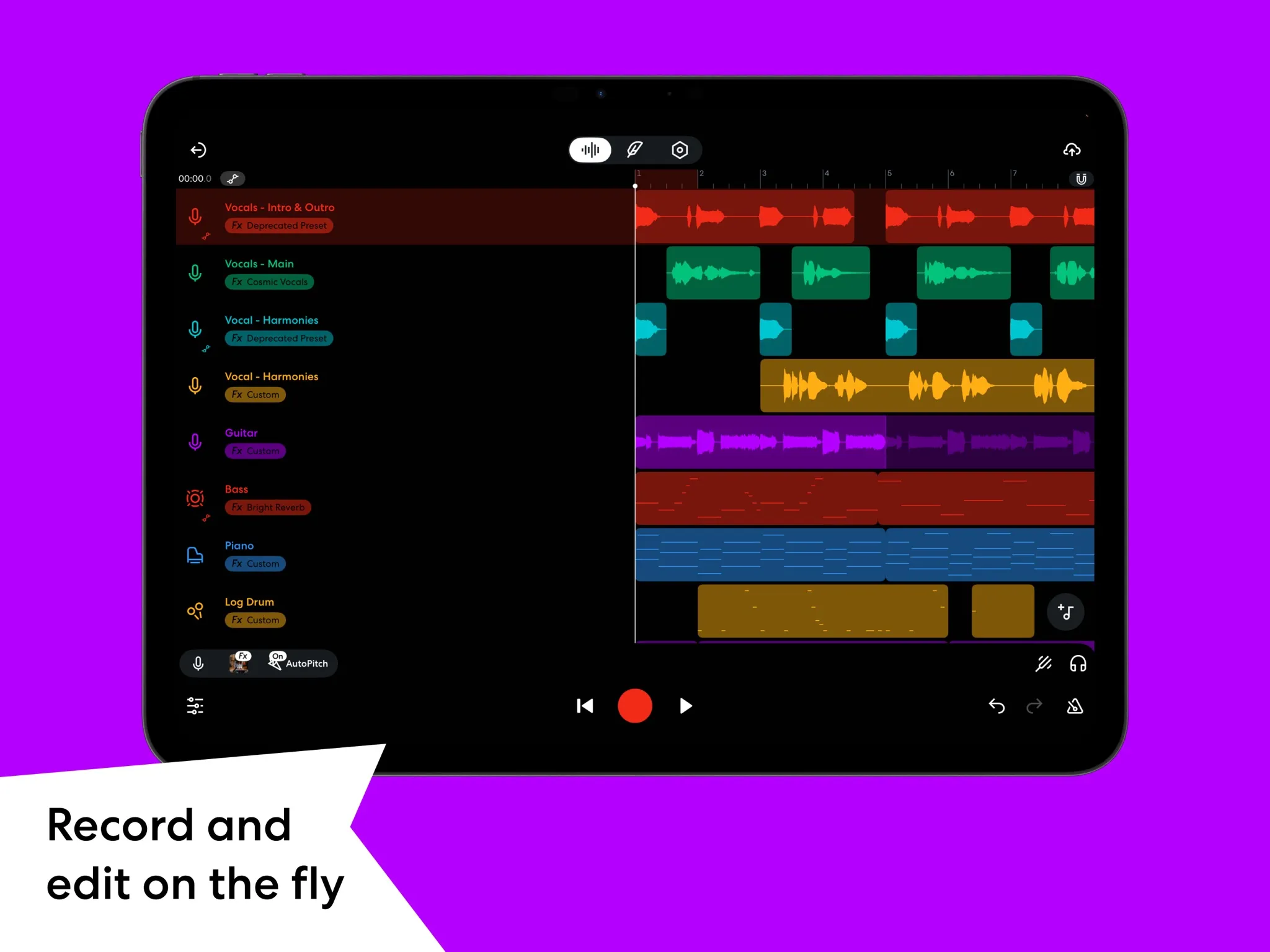
A free, social music app with multitrack projects, built-in instruments and free automatic mastering.
- Price: free; the optional Membership is $14.99 a month or $149.99 a year.
- AUv3: none. Neither the listing nor BandLab’s own pages mention Audio Units, so it can’t load third-party instruments.
- Recording and export: unlimited multitrack projects, stem separation and mastering to MP3 or WAV.
- Ableton Link: not stated.
- Desktop: projects sync with BandLab’s browser-based Studio.
- Rating: 4.7 from 510,867 ratings.
Pros
- Very intuitive, with quick menus and many drum machines, synths and effects built in (TechRadar, 2025).
- Free automatic mastering is a real step up from an unprocessed mix (Gearnews, 2024).
Cons
- Simpler than a desktop DAW, with mostly preset-based instruments and effects (TechRadar, 2025).
- Some features need the subscription (TechRadar, 2025).
hands down the best free DAW if you know how to use it
10. FL Studio Mobile
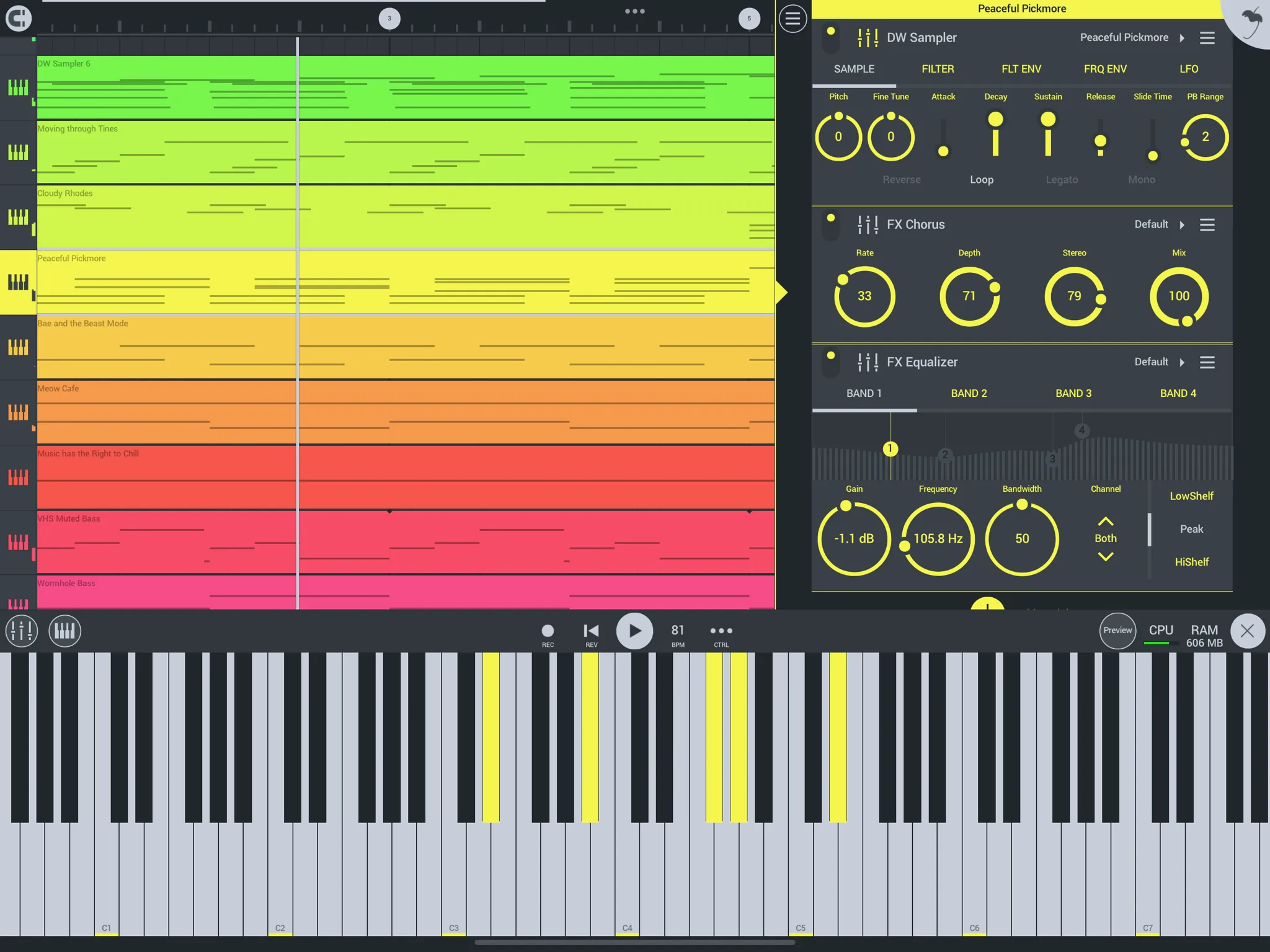
Image-Line’s mobile version of FL Studio, with its own instruments and a piano roll.
- Price: $14.99 once, plus sound packs and an optional FL Cloud sounds plan.
- AUv3: none. The listing names the older Inter-App Audio and Audiobus instead, so you’re limited to Image-Line’s own instruments.
- Recording and export: audio recording, a piano roll, MIDI import and export; save as WAV, MP3, AAC, FLAC or MIDI.
- Ableton Link: not stated.
- Desktop: export projects as .flp for FL Studio on the Mac or PC.
- Rating: 3.8 from 630 ratings.
Pros
- Recording and beat-making are pleasant and quick, with strong MIDI features (Gearnews, 2024).
- A natural fit if you already use FL Studio on the desktop (Gearnews, 2024).
Cons
- Mixing tools are fairly basic (Gearnews, 2024).
- No AUv3 hosting (store listing).
Surprisingly powerful DAW for mobile devices
I've ran into some issues when it comes to using large projects
Also worth a look
Auria Pro ($49.99, WaveMachine Labs) is a desktop-style DAW that’s still being updated, though it has few reviews. NanoStudio 2 is no longer on the App Store.
Playing WaveStack in these apps
WaveStack for iPad includes an AUv3 instrument with WaveStack Pro. It loads in every app above that hosts AUv3 instruments. In GarageBand, choose External › Audio Unit Extensions. In Logic Pro, AUM or Loopy Pro, look for WaveStack under Signal Function Set in the instrument list. Your tables are saved with the host’s project. See WaveStack on the iPad for setup. To make tables of your own to play in it, start with how to make a wavetable from your own recording.
WaveStack Modulate, our modulation source for MIDI and CV, is in testing on the iPad with an AUv3 MIDI plugin for AUM, Loopy Pro, Logic Pro and other hosts.
Frequently asked questions
What is the best DAW for iPad?
For most people it's Logic Pro for iPad: a full DAW built for touch, with AUv3 support and projects that move to Logic Pro on the Mac. It's a subscription ($4.99 a month or $49 a year). If you'd rather pay once, Cubasis 3 ($49.99) is the closest thing to a desktop DAW. GarageBand is the best free option.
What is the best free DAW for iPad?
GarageBand. It's free with no in-app purchases, records up to 32 tracks and loads AUv3 instruments and effects. BandLab is also free and easy to use, but it can't load third-party plugins. n-Track Studio's free tier is limited to 8 tracks and 2 effects per track.
Which iPad DAWs support AUv3 plugins?
Logic Pro, Cubasis 3, GarageBand, AUM, Loopy Pro, Drambo, BeatMaker 3 and n-Track Studio all load AUv3 instruments and effects. Logic Pro, Cubasis 3, AUM, Loopy Pro and Drambo also load AUv3 MIDI effects. BandLab and FL Studio Mobile don't support AUv3.
Is Logic Pro for iPad worth the subscription?
If you also use a Mac, usually yes: projects move between Logic Pro for iPad and Logic Pro for Mac, and you get Apple's instruments, effects and Session Players for $4.99 a month or $49 a year. If you want a one-time purchase, Cubasis 3 costs $49.99 and exports projects to Cubase.
Can I open my iPad DAW projects on a computer?
Several apps have a desktop counterpart. Logic Pro and GarageBand projects open in Logic Pro and GarageBand on the Mac, Cubasis projects import into Cubase, n-Track sessions open in n-Track Studio for Mac and Windows, and FL Studio Mobile exports .flp files for FL Studio. Drambo's iPad app also runs on Apple silicon Macs.
What's the difference between a DAW and a host like AUM?
A DAW records and arranges a song on a timeline. AUM is a mixer and plugin host: it runs several AUv3 instruments and effects at once for live playing and routing, without a timeline of its own. Many iPad musicians use both, or a looper such as Loopy Pro for performance.
Does FL Studio Mobile support AUv3 plugins?
No. FL Studio Mobile supports the older Inter-App Audio and Audiobus, not AUv3, so you're limited to Image-Line's own instruments and effects. It does export projects as .flp files for FL Studio on the desktop.