WaveStack Modulate 1.1 is out for Mac and Windows, with updated plugins, on the Download page. The iPad version is in App Store review.
MIDI notes
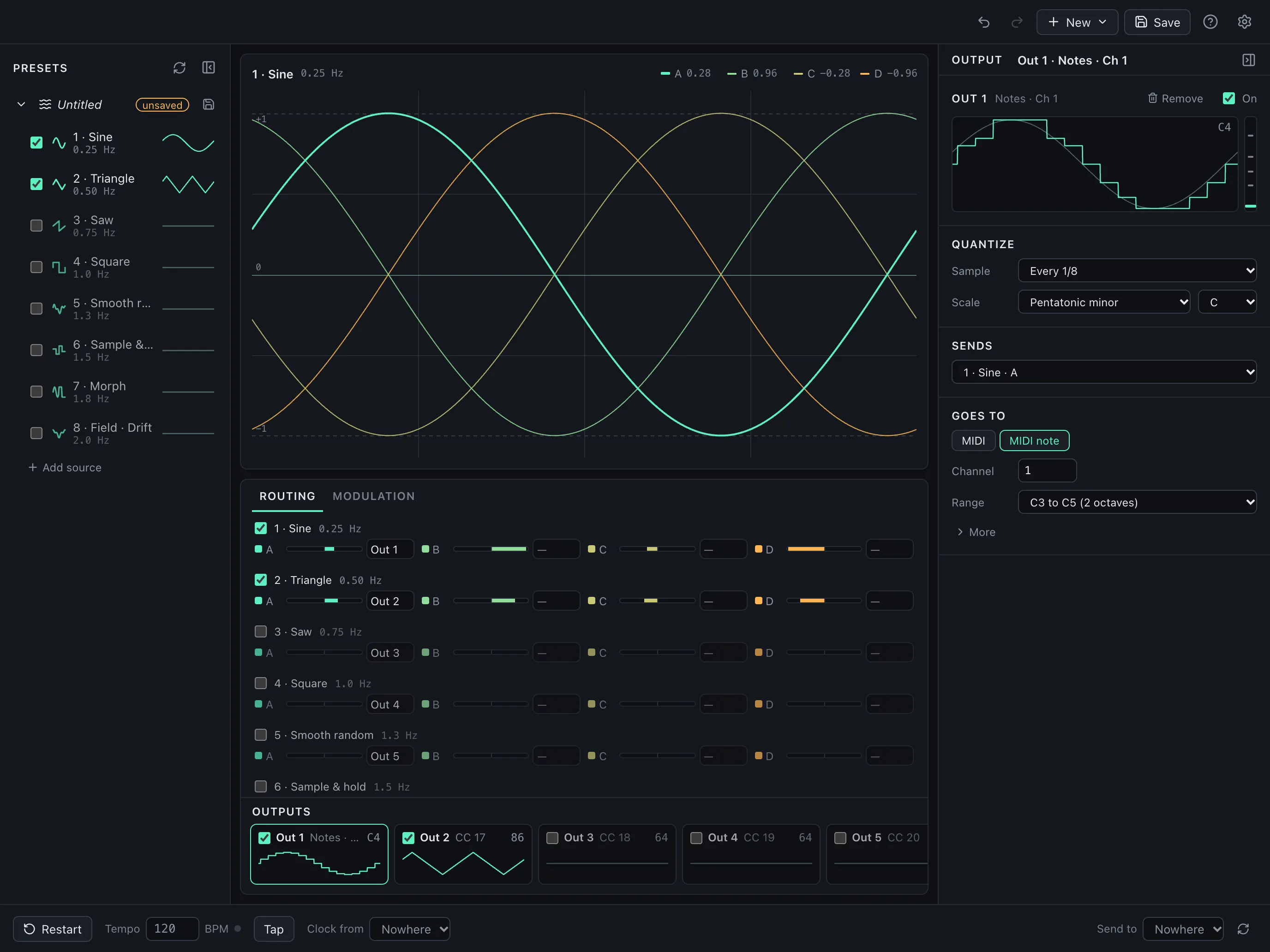
An output can now play MIDI notes. Choose MIDI note under Goes to, then pick a channel and the range of notes the signal spans, such as C3 to C5. The output plays one note at a time: a new note when the note changes, or on every step when Sample is set. MIDI notes are part of Pro.
Quantize
Each output has a new Quantize section with two settings:
- Sample holds the value on the tempo, for any length from 1/32 to 2 bars. It follows whatever the tempo follows: your own BPM, MIDI clock, a host or a clock on an interface.
- Scale holds a CV or MIDI note output to the notes of a scale, with a root note you pick.
The output’s scope shows the incoming signal faintly under what goes out, and a one-octave ladder beside it shows the scale’s notes.
Scale can also be any tuning in the Scala (.scl) format, such as just intonation or scales that don’t repeat at the octave. On a MIDI note output, notes between semitones are bent first, for a synth with a ±2 semitone bend range. The tuning is saved with the patch. Routing and outputs has the details.
Pitch bend and channel pressure
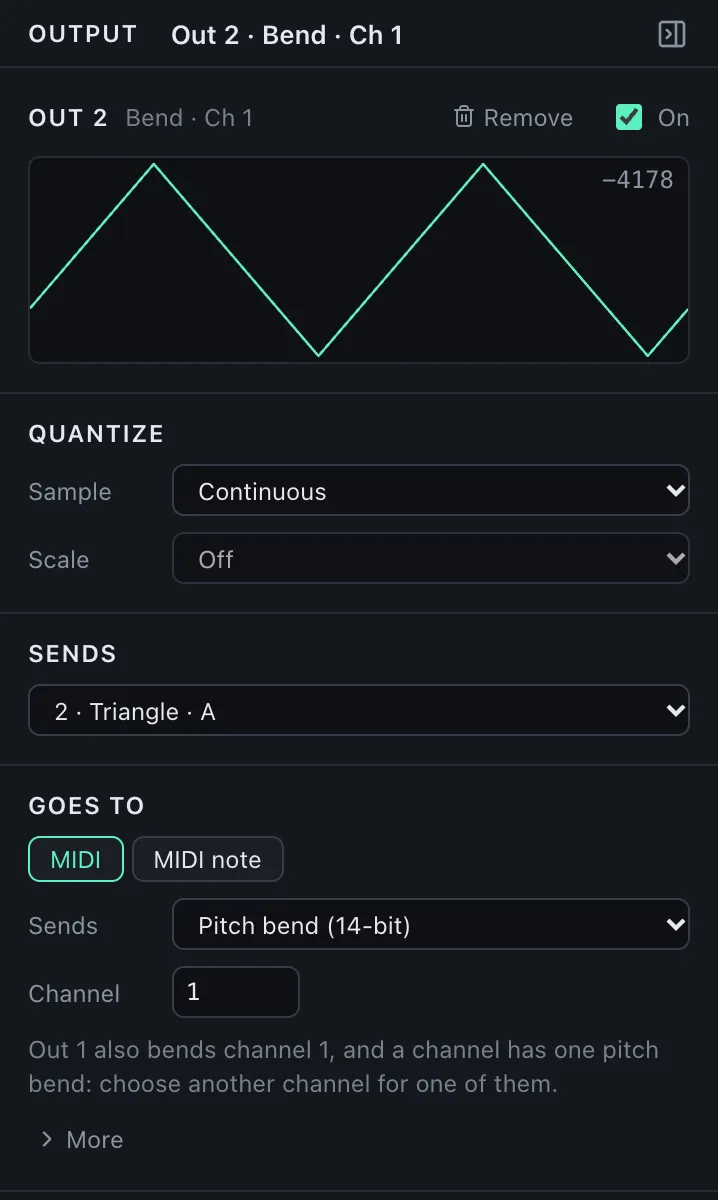
A MIDI output can now send pitch bend (14-bit) or channel pressure as well as CCs. Set it under Sends. A channel has one pitch bend, so Modulate warns you when two outputs would bend the same channel.
Modulate Pro on Mac and Windows
Until now, the Mac and Windows versions included everything. From 1.1 they work like the iPad: the free version has one source, two MIDI outputs and the basic shapes, and Modulate Pro adds the rest and the plugins.
Everything in Pro is unlocked for 14 days from the first time you open the app or a plugin. After that, the app goes back to the free version and the plugins stop sending until you enter a license. Your patches and presets are kept either way. A license is a one-time purchase, covers the app and the plugins on up to 3 of your computers, and works offline. It’s separate from the iPad purchase.
The ES-10
On Mac and Windows, Modulate now works with an Expert Sleepers ES-10 on the ADAT ports of another interface, such as an ES-8. That adds eight outputs and eight inputs, and an ES-5 can hang off the ES-10. The iPad version will get this in a later update. CV and gates has the setup.
The CV plugin on the iPad
Version 1.0.2 for iPad added WaveStack Modulate CV, a second AUv3 plugin that comes with the app. It sends CV and gates as audio on 8 channels, and your host passes that audio to a DC-coupled interface such as an ES-8 or ES-9. It’s part of Pro. The CV plugin page has the setup.
Smaller changes
- Double tap to reset. Double tap a slider or amount to put it back to its default.
- Scrolling. Swiping up or down over a slider now scrolls the panel and leaves the value alone.
- Contrast. Faint text has more contrast in every color scheme, and switched-off sources and outputs are easier to read.
- Routing labels. A tap sending to two outputs shows both numbers, such as “5, 8”.
- Add source and Add output no longer appear when all 16 sources or 64 outputs are in use.