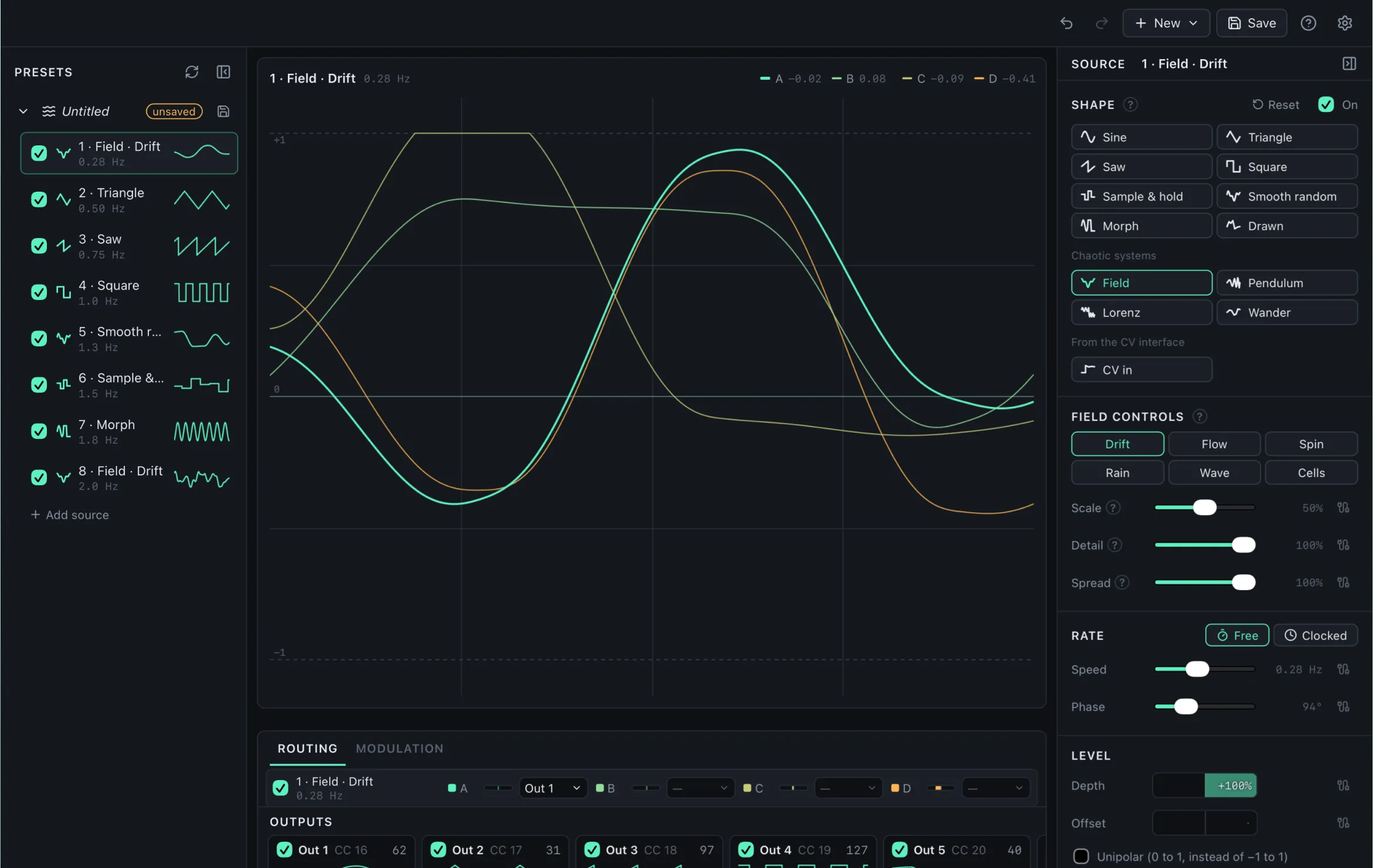
WaveStack Modulate 1.0 is on the App Store for iPad. It needs iPadOS 16 or later.
Modulate makes control signals for your synths: LFOs, random changes, shapes you draw and chaotic motion. It doesn’t make any sound. It sends those signals out as MIDI CC to other apps and hardware, or as CV and gates to a modular through a DC-coupled audio interface.
Sources and outputs
Each source is a shape (sine, triangle, saw, square, sample & hold, smooth random, Morph, or one you draw) or a chaotic system (a moving field with six motions, a double pendulum, the Lorenz attractor and random walks). Each source has four outputs of its own, called taps.
Send a tap to one or more of up to 64 outputs. Each output is a MIDI CC (7 or 14-bit), a control voltage or a gate. Routing and outputs covers the details.
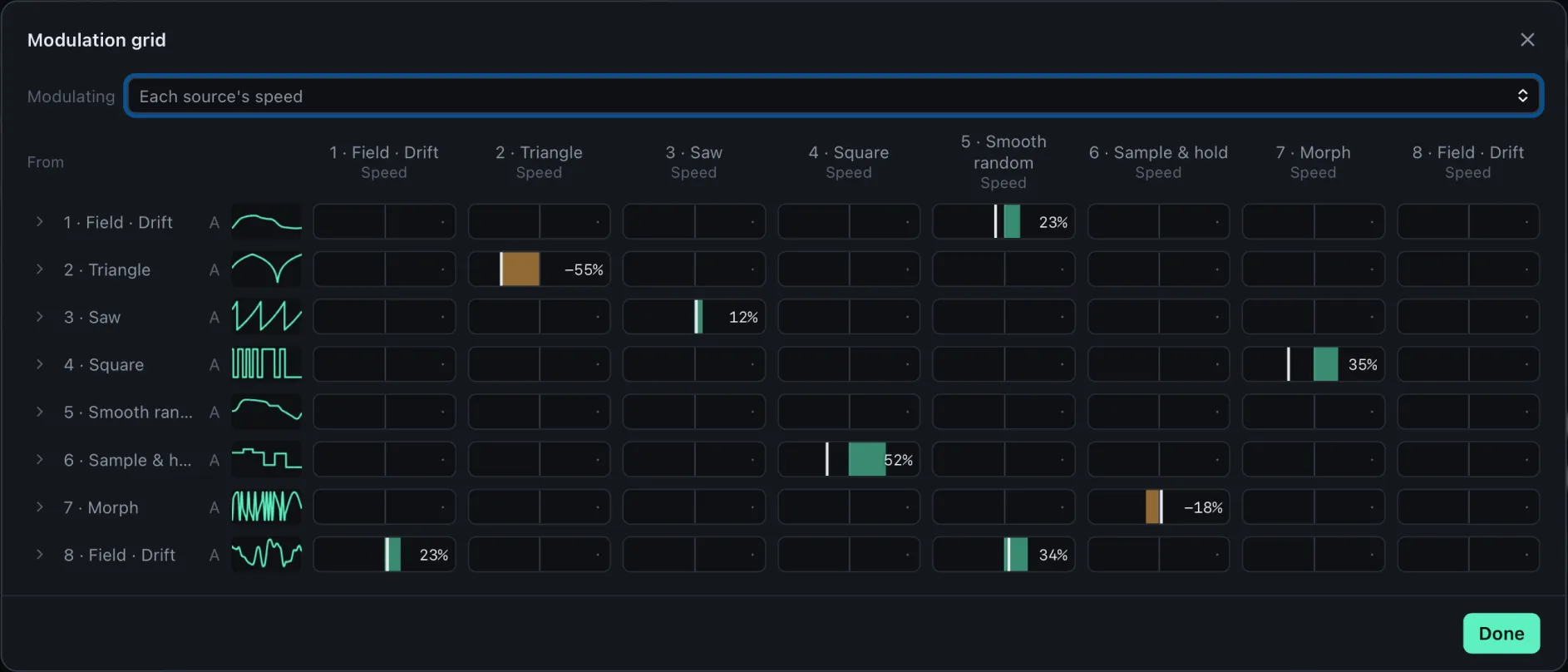
A source can also change another source’s speed, depth or shape. Set that up from a list, or from the modulation grid:
In your iPad setup
Modulate keeps sending while you work in other apps. As an AUv3 MIDI processor, it runs in AUM, Loopy Pro, Logic Pro for iPad and other hosts, with the whole editor. It follows the host’s tempo and transport, and its patch is saved with your project. GarageBand can’t host MIDI processors. The iPad help page has the steps for each host.
For CV, connect an ES-8, ES-9 or another DC-coupled interface to the iPad’s USB-C port. The AUv3 only sends MIDI, so use the app for CV. See CV and gates.
Outside a host, sources run at a speed you set or in time with the tempo. Set the tempo, tap it, or follow MIDI clock.
Free and Pro
The free version has one source, two MIDI outputs and the basic shapes: sine, triangle, saw, square, sample & hold and smooth random. Anything that needs Pro has a tag.
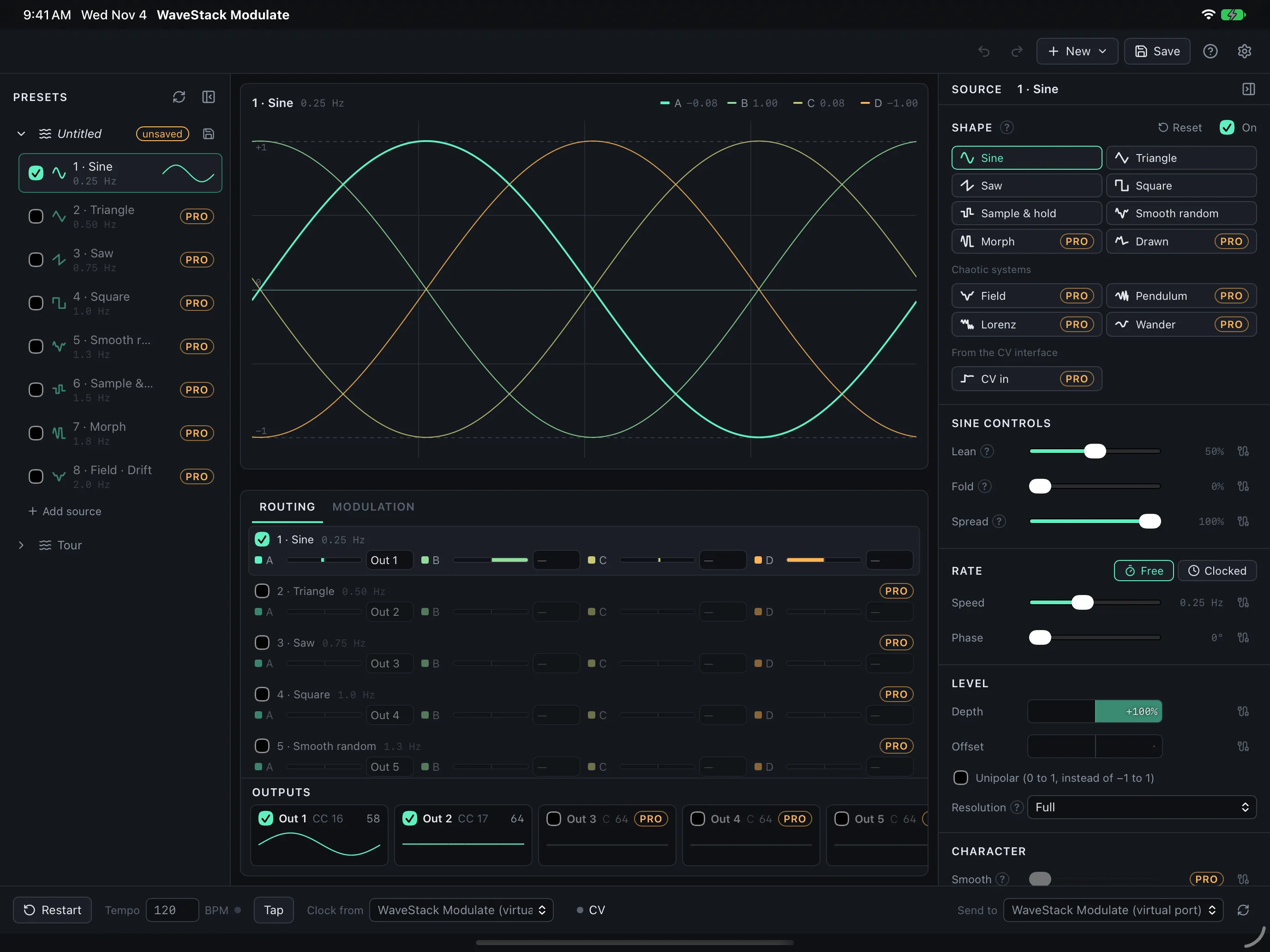
Modulate Pro is a $9.99 one-time purchase. It covers the app and the AUv3 on every iPad signed in to the same Apple Account, and adds:
- 16 sources and 64 outputs
- Morph, drawn shapes and the chaotic systems
- Smooth and Rough
- Modulation between sources
- CV, gates, CV in and clock in
- The AUv3
Mac and Windows
The Mac and Windows apps and plugins are still on the Download page, with everything included for now. You can’t buy Pro on those platforms yet. Your presets are files, so you can move them between your computer and the iPad’s Files app.